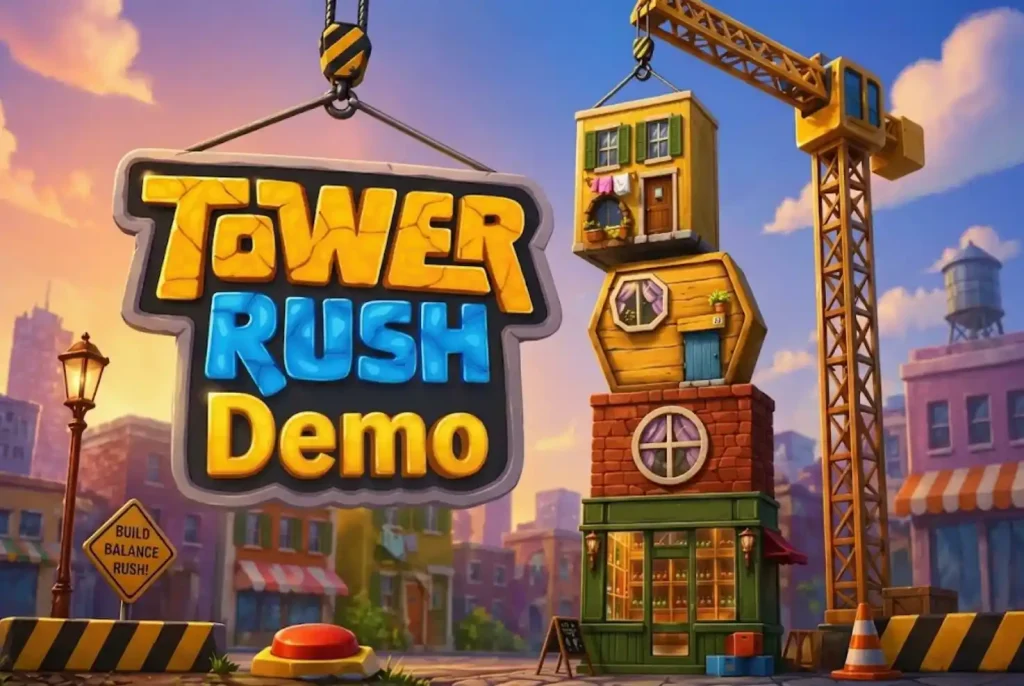
Tower Rush looks simple at first: build the tower, watch the value move and decide when to stop. But once the floors start appearing faster and special events enter the round, the pace can change quickly. Tower Rush demo gives a chance to get used to all of this with virtual credits. There is no need to learn the interface while following an unfamiliar round at the same time. The demo shows where the main controls are, how the tower behaves and what happens when Frozen Floor, Temple Floor or Triple Build appears.
How Demo Works
Tower Rush Demo keeps the basic structure of the regular game but replaces the usual balance with virtual credits. This makes it possible to try the controls and follow several rounds without using real funds. Getting started is simple:
- Open the demo. Launch the free version on a supported desktop or mobile device.
- Check the virtual balance. Demo credits are already provided for practice.
- Choose a virtual stake. Select an amount only for the current demo round.
- Start building. Watch the tower grow and follow the changing value.
- Try cashout. Stop the round at different points to see how the control works.
After a few rounds, the Tower Rush game becomes much easier to follow. The player already knows where to look and does not have to search for buttons while the tower is moving.
What You Can Test
The strongest side of a demo is not the virtual balance itself. It is the chance to see how everything feels on screen before the pace starts to matter. Tower Rush Demo can be used to check:
- where the main controls are placed;
- how quickly floors appear;
- how the current value changes during construction;
- what happens after cashout;
- how the three special floors look when they start.
A few rounds are usually enough to understand the basic rhythm. The tower may move slowly at one point and then become much more active when a special feature appears.
The Tower Rush online game also becomes easier to read once the player knows which parts of the screen matter most. Instead of watching every animation, attention can stay on the tower, current value and main action controls. Demo mode is especially useful here because mistakes do not affect a real balance.
Demo vs Full Game
The demo and full version use the same basic idea, but the balance is different.
|
Feature |
Demo |
Full Version |
| Balance | Virtual credits | Platform balance |
| Core mechanics | Same basic format | Same basic format |
| Bonus Floors | Available | Available |
| Financial risk | No real balance used | Depends on play |
| Main purpose | Learn the interface | Full gameplay |
The important part is that demo results do not become a forecast for later rounds. A long tower with virtual credits does not make another long tower more likely. The same applies after several short rounds. Tower Rush Demo is useful for learning what the game does, not for finding a sequence that will repeat later.
Bonus Floors
Special floors are much easier to understand when they appear on screen instead of only being described. Frozen Floor can show how a reached value is protected inside the round. Temple Floor changes the normal building sequence and starts a separate event. Triple Build is the easiest one to notice because the tower suddenly gains several floors much faster than usual.
The Tower Rush game keeps the same main construction mechanic around these features. Once the special event ends, attention returns to the tower. Demo mode makes the visual difference clear without needing a long explanation. After seeing each feature once or twice, Frozen Floor, Temple Floor and Triple Build become easy to recognise as soon as they appear. Their order is still random, so there is no fixed demo sequence to follow.
Mobile Demo
Tower Rush Demo also works on supported smartphones and tablets. The mobile version keeps the tower, current value and main controls close together, so the smaller screen does not change the basic way the game is used. It is also a quick way to check whether the interface feels comfortable on a particular phone. A separate Tower Rush app is not always needed. If the platform supports browser access, the demo can run directly from the mobile site. This gives the Tower Rush online game almost the same basic layout on a phone as on a desktop, only in a more compact format.
Controls and Pace
The first few demo rounds do not need to be about building the tallest possible tower. It can be more useful to watch the interface instead. Where does the value change? How quickly does the next floor appear? How easy is it to find cashout when the pace increases? Tower Rush can feel calm at the start of a round and much faster a few moments later. Demo mode gives enough room to get used to that change. Once the controls feel familiar, the interface requires much less attention and the construction itself becomes easier to follow.
What Demo Cannot Show
Tower Rush Demo is useful for practice, but it does not reveal what will happen next. It cannot:
- predict the next round;
- show a guaranteed winning sequence;
- increase the RTP;
- make a specific Bonus Floor appear more often;
- prove that a high result must follow several low ones.
The virtual balance can sometimes make long sessions feel less serious because nothing real is being used. That is another reason not to treat demo results as a direct picture of future play.
The RNG does not start creating predictable patterns just because several rounds are played in a row. A successful demo session therefore shows only that the controls and mechanics are understood. It does not create an advantage over the random result of the next round.
Demo on Different Devices
The demo keeps the same basic game on desktop, smartphone and tablet. Desktop gives the interface more space. A smartphone makes everything more compact, while a tablet sits somewhere between the two. The Tower Rush demo mechanics do not change with the screen size. The tower still grows in the same way, the same special floors can appear and cashout remains part of the normal round. The main difference is simply how much room the interface has around the action.
Common Demo Mistakes
One common mistake is treating a good demo run as a sign that the same results will continue later. Virtual credits may make a streak look impressive, but the next round remains random. Another mistake is rushing through the free version without actually learning the controls. If every round is started immediately, the main advantage of demo mode is lost.
It is also easy to focus too much on short sequences. Ten or twenty rounds may look like a pattern, especially when similar values appear close together. That does not turn the sequence into a reliable Tower Rush strategy. The most useful approach is simpler: use the demo to understand how the screen works, what the special floors look like and how quickly the pace can change.
When Demo Is Enough
Tower Rush Demo has done its job once the interface no longer feels unfamiliar. The player should know where cashout is, how the tower develops, what Frozen Floor, Temple Floor and Triple Build look like and how quickly the round can move. There is no need to keep using virtual credits in an attempt to discover a perfect sequence. The demo is a practice mode, not a prediction tool. Once the basic controls and pace are clear, the remaining questions are usually about stake size, session limits and how betting systems actually affect risk. For more on bet size, session limits and common betting systems, see the Tower Rush Strategy page.